
Jubensha
Create characters, chapters and materials that bring a group into the same story. Write for emotion, comedy, mystery, horror, strategy or competing factions—not only a murder to solve.
Anzir Studio · For authors
Give people a character to inhabit, a reason to interact and a story to experience together. Bring the writing and the materials behind it into Anzir Studio.
Opens in a new tab. Sign in and follow the prompts to enter your author workspace.
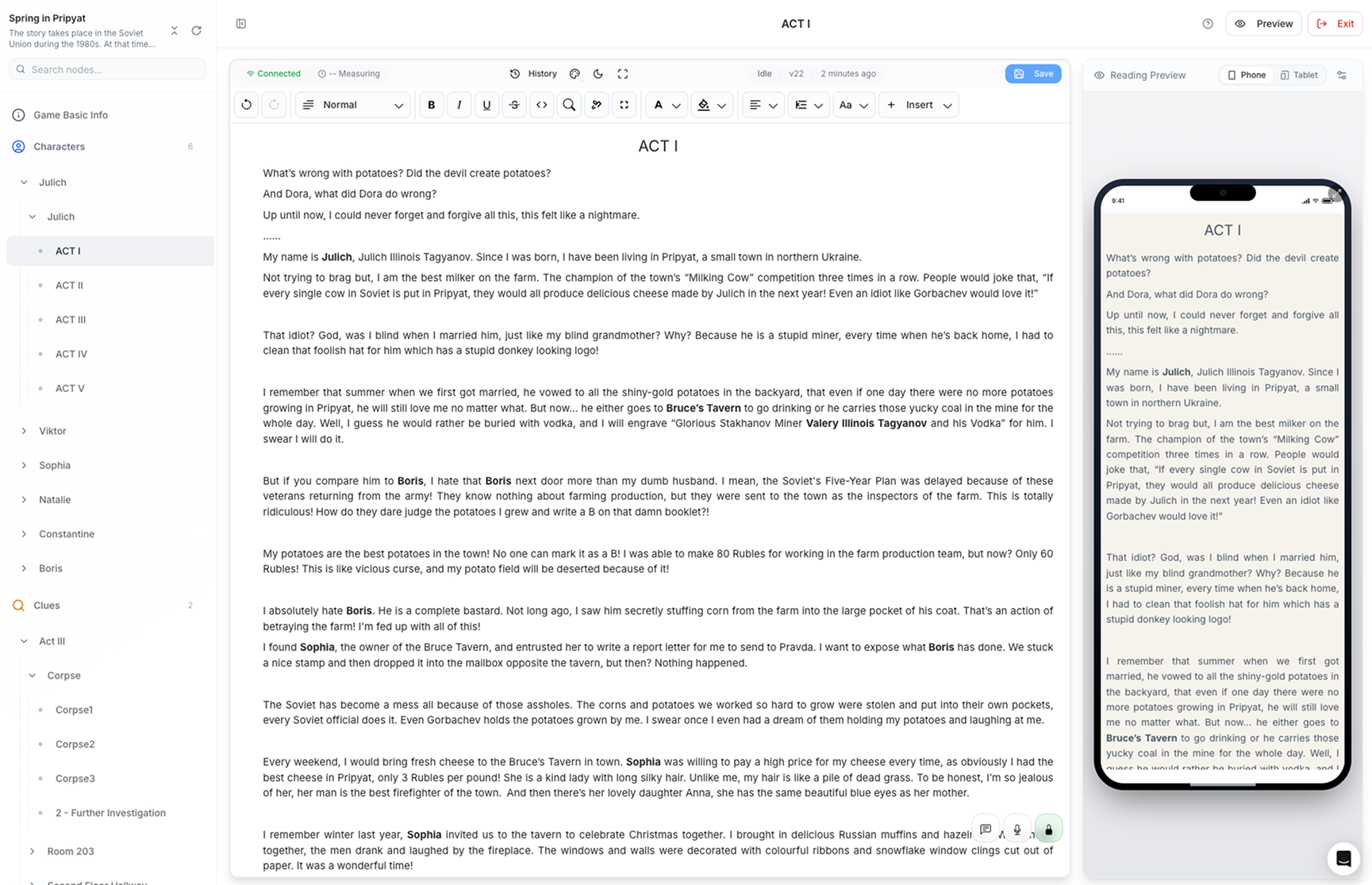
A place to begin
You might be writing your first Jubensha, adapting a story you already own, or working with other authors and editors. Start with the experience you want people to share.
Create characters, chapters and materials that bring a group into the same story. Write for emotion, comedy, mystery, horror, strategy or competing factions—not only a murder to solve.
Build scenes, choices, conditions and results. Decide what players can do, how the story responds and where each path leads.
These use different creation tools. Where a game is played—in a venue, at home or online—is a separate design choice; suitability depends on the work.
Becoming an author
You do not need a finished manuscript to begin. Work through one small segment, then build on what you learn.
Open Anzir SpaceChoose a premise, a few characters and the kind of experience you want to create. If you bring existing text, images or audio, check that you have permission to use them.
Sign in or create an Anzir account. Use the author entry and follow the identity information and applicable terms shown there. If your account already has author access, continue to Studio.
Choose the type of work and give the draft a working title. Start a Jubensha with character chapters and materials; start an interactive game with scenes and choices. Check the draft in its editor’s preview.
For Jubensha, use the playtest flow to invite players or venues. Confirm the test version and review status, gather observations and feedback, then revise the draft. For interactive games, start with the editor’s preview to check paths and actions.
When the work is ready, review its public details, materials and applicable publishing terms, then submit a publishing version. Submission, approval and availability are separate stages.
Inside Studio
Jubensha brings together character chapters, cards and GM materials. Interactive games use a separate editor for scenes, choices, conditions and outcomes.
Interactive games only · Scene & path editor
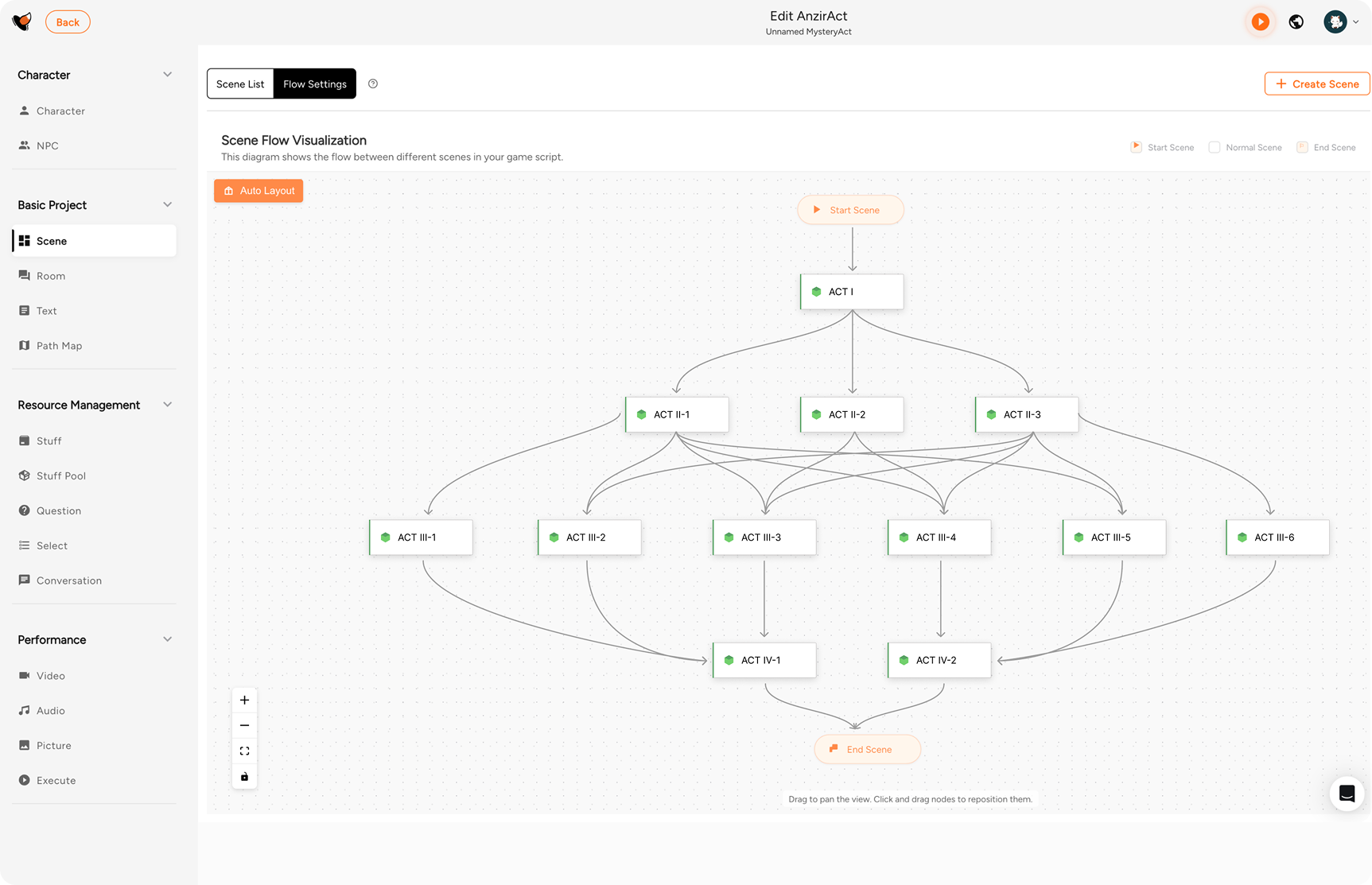
Jubensha creation tools
Ways to partner
Create and playtest in Studio first. Decide whether to publish or partner when your work is ready. Each arrangement covers the specified game, without automatically including your other work.
Full partnership information opens in your author workspace. Sign in to continue.
For finished games ready to launch and learn from real play.
For long-term distribution and commercial development with Anzir. Story usage is charged per session.
For a specified game with an agreed one-time payment and defined rights.
Rights, revenue calculations and settlement follow the agreement confirmed for the individual game.
Your first session in Studio
A complete world can wait. A few clear decisions will give you something useful to write and test.
Creation, publication and commercial partnerships are separate steps. Before publishing or licensing a work, review the applicable author agreement and confirm the rights, permitted uses, duration and revenue terms.
Read the author agreementStart with a scene. Let the experience grow from there.
Available in Studio after signing in with author access.
Before you begin
A few practical details about starting, testing and sharing your work.
You can start with your first story. Jubensha writing uses structured character chapters and materials rather than code. Interactive games also involve configuring scenes, conditions and actions. Begin with a small segment so you can learn the tools and test the experience.
Start with your Anzir account. Studio also requires author access; follow the identity and terms steps shown for your account. Being signed in to the official website does not by itself confirm that author access is active.
You can organize existing material you have the right to use into characters, chapters and other game materials. Games also support collaborator access. Check the current permissions before inviting someone; bringing in text does not automatically convert an entire game or clear third-party rights.
No. Jubensha can focus on emotion, comedy, mystery, horror, strategy or factions. The starting point is the story and interaction you want players to experience. Studio also has a separate creation path for interactive games built around scenes and actions.
The Jubensha reading preview checks text, images and presentation. It does not confirm actual delivery, pacing or whether players understand what to do. Use the Jubensha playtest flow and check the version and review status. For interactive games, use the corresponding editor’s preview to check scenes, paths and actions. Both types of work need feedback from real players.
Arc can help explore ideas, draft or revise passages and review material in the scope available to it. Review its suggestions before applying them. AI usage is subject to the model, credit balance and cost information shown in Studio; it is not an unlimited service or a substitute for playtesting.
You can start by creating and playtesting, then consider publication. Review the relevant process and agreement when publishing, licensing or entering a commercial partnership. Rights, exclusivity and permitted uses depend on the applicable arrangement.
No. A publishing version goes through the applicable submission and review process. Approval, listing and access must be checked separately. Commercial eligibility, revenue share and settlement follow the relevant agreement and release path; no particular earnings or review deadline is promised.