
Anzir Logo
    Anzir

    Jubensha · For Game Masters

    Bring people into the story.

    Prepare with the game’s GM materials, then guide your group with chapters, clues and session tools in the Anzir App. You bring the story to life, one table at a time.

    A guide to hosting venue-based Jubensha sessions with Anzir.

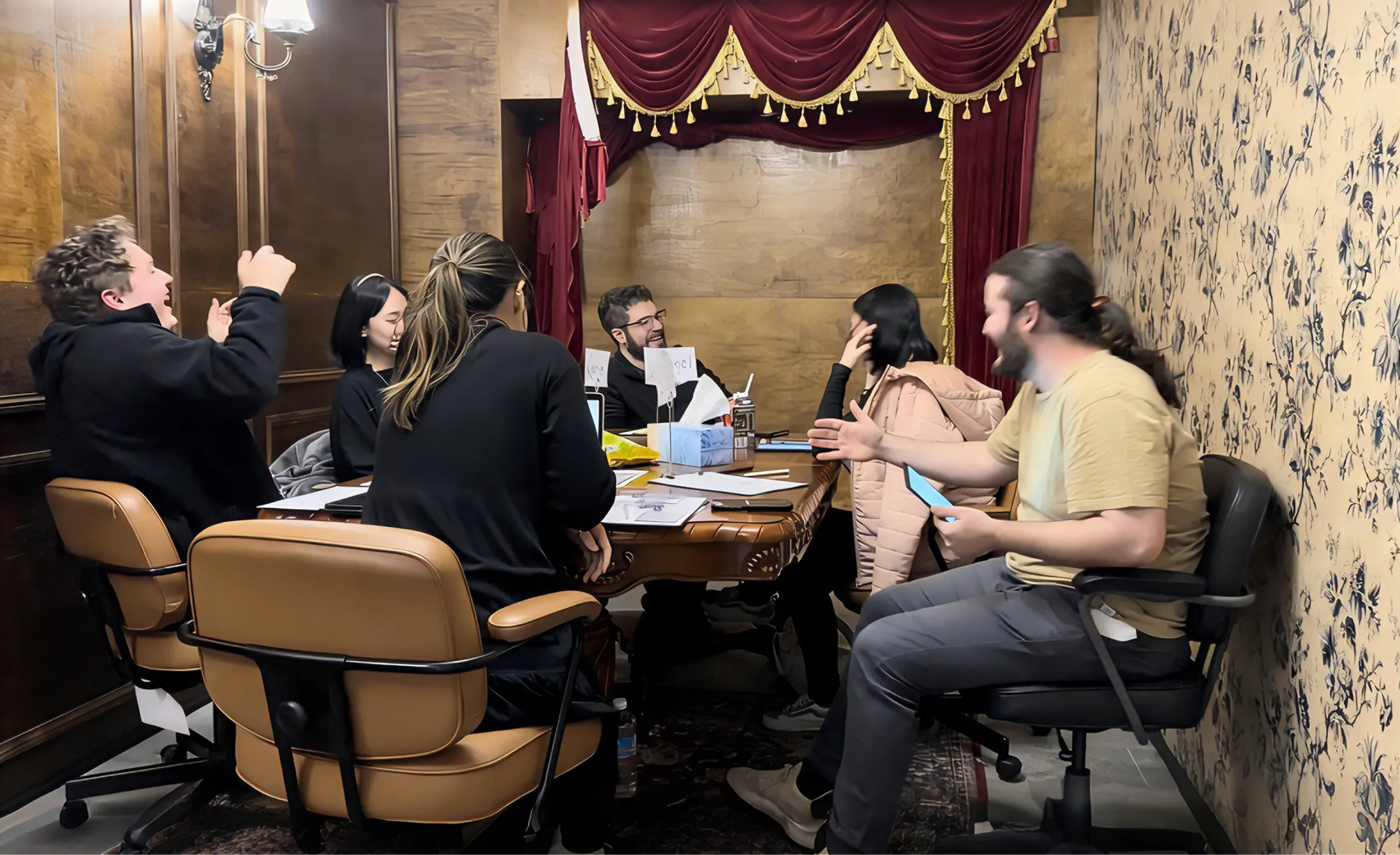
    Players sharing character stories around a table at an Anzir Jubensha gathering
    Real people, shared stories. A moment from an Anzir Jubensha gathering.

    People at the centre

    A good host makes room for everyone.

    A Game Master helps a group enter the same world. Reading the story is the starting point; listening, explaining and responding to the people at the table are part of the craft.

    New to Jubensha? Start here
    Give everyone a way in
    Explain the premise and how play works, agree expectations, and help each player understand their part without revealing someone else’s story.
    Know what to reveal, and when
    Read the full GM materials. Understand the characters, clues and turning points, so you can guide discoveries and respond to questions without giving the story away.
    Pay attention to the table
    Notice who needs space, a prompt or a clearer explanation. Adjust the pace, make room for different voices, and bring the group back together when it needs direction.

    Anzir App · Hosting tools

    Know the story. Keep the tools close.

    Prepare before the session, then keep the materials you need within reach while you host.

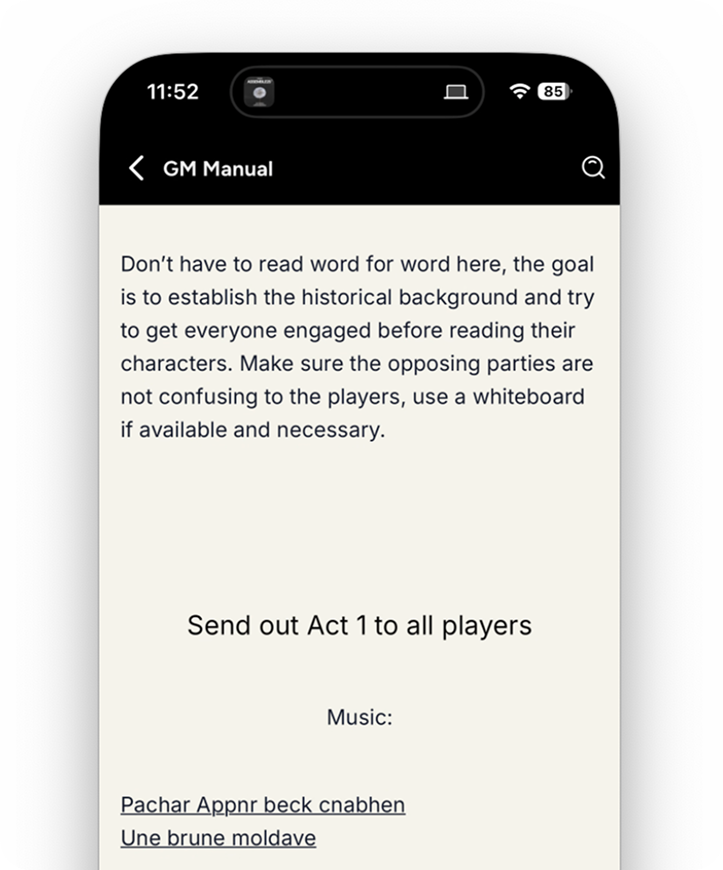
    Example of a game’s GM guide in the Anzir App
    Before play · Read the GM guide and preparation notes.
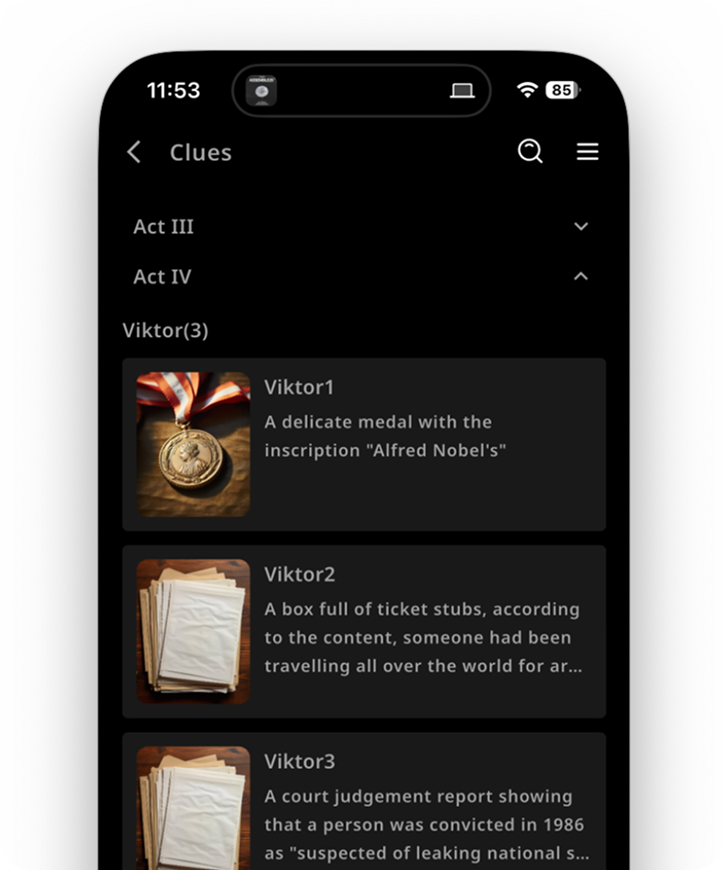
    Example of a game’s clue directory in the Anzir App
    During play · Find the chapters and clues the game calls for.

    Example screens from an existing game. Materials, interface details and access vary by game and version.

    Prepare with the right materials
    Open the selected game’s hosting workspace. Check the version and access, then read the available GM guide, character materials and preparation notes before planning your session.
    Deliver the story at the right moment
    Use the game’s chapter, clue and other material controls as its flow requires. Tools help you organise delivery; explanations, pacing and care for the group still come from you.
    Bring the session together
    Choose your venue and game in the App, check the available access and costs, and create a room. Set the play time and invite players from the room when you’re ready.

    From preparation to play

    Your first session, one step at a time.

    The game’s own GM guide is your reference. This is a practical starting sequence; give yourself time to prepare before inviting a group.

    1. Choose a game with your venue

      Match the group size, language, duration and style to your players. Confirm the version, venue arrangements and game access before making a plan.

    2. Read, rehearse and prepare

      Read the GM guide and character materials. Walk through important reveals, prepare any required props or media, and check devices and the connection.

    3. Create the room and make the plan

      Select the venue, then confirm the game in the App to create a room. Review the venue’s balance and game costs, set the play time, and invite your players. Creating the room does not begin play.

    4. Welcome the group and guide play

      Explain how the session works and confirm roles. Follow the game’s flow, share materials when needed, and make room for questions and participation.

    5. Debrief and carry the learning forward

      Give the group time to discuss the experience. Note what you would change in your preparation, explanations or pacing before hosting again.

    Your next step

    Start from where you are.

    You don’t need to own a venue to become part of its hosting team. Your next step depends on your experience and the people you’ll host with.

    I already work with a venue

    Open Anzir and check your venue association or invitations. If you need to join, search for the venue in the App and apply. Your venue must approve your association and grant hosting access before you can select it to host.

    Get the Anzir App

    I’m new to hosting

    Start by playing a session and getting to know the role. Find a venue, speak to its team about preparation and practice, and agree the requirements before taking on a game.

    Explore venues
    Run a venue? Explore venue partnerships

    Prepare and host in Anzir.

    Browse games on the website; use the App for venue association, hosting materials and session tools.

    Before you begin

    A few useful things to know.

    Do I need to own a venue?

    No. You can work with an existing venue. For venue-hosted sessions, your association and hosting access must be confirmed by that venue. Creating or submitting an application is not the same as being approved.

    Do I need acting experience?

    Preparation and performance requirements depend on the game and venue. Discuss practice and support with the venue, and start with a game you can prepare well. Some games call for character performance; others focus more on explanation, discussion and deduction.

    What should I prepare before my first game?

    Read the game’s GM guide and relevant character materials, check the required group size and full runtime, and rehearse key transitions. Confirm any props, media, devices and connection requirements in the game’s instructions.

    Can I host from this website?

    Use the website to explore games, understand the role and find venues. Venue association, preparation materials, room creation and live hosting tools are in the Anzir App, subject to your account and game access.

    Where do I check game access and costs?

    Check the selected game and venue in the App before hosting. Content access and per-session play can have different conditions. Review the available price and paying venue, then follow the final confirmation before starting; creating a room does not begin the game.